Latest
Windows
v1.2.0 · x64 · 107.5 MB
- File
- Poxvirid-Setup-1.2.0-x64.exe
- SHA-256
0d6560ef09e3a896bb…

A completely free, local-first password manager for Android and Windows with military-grade encryption and no plaintext data transmission.
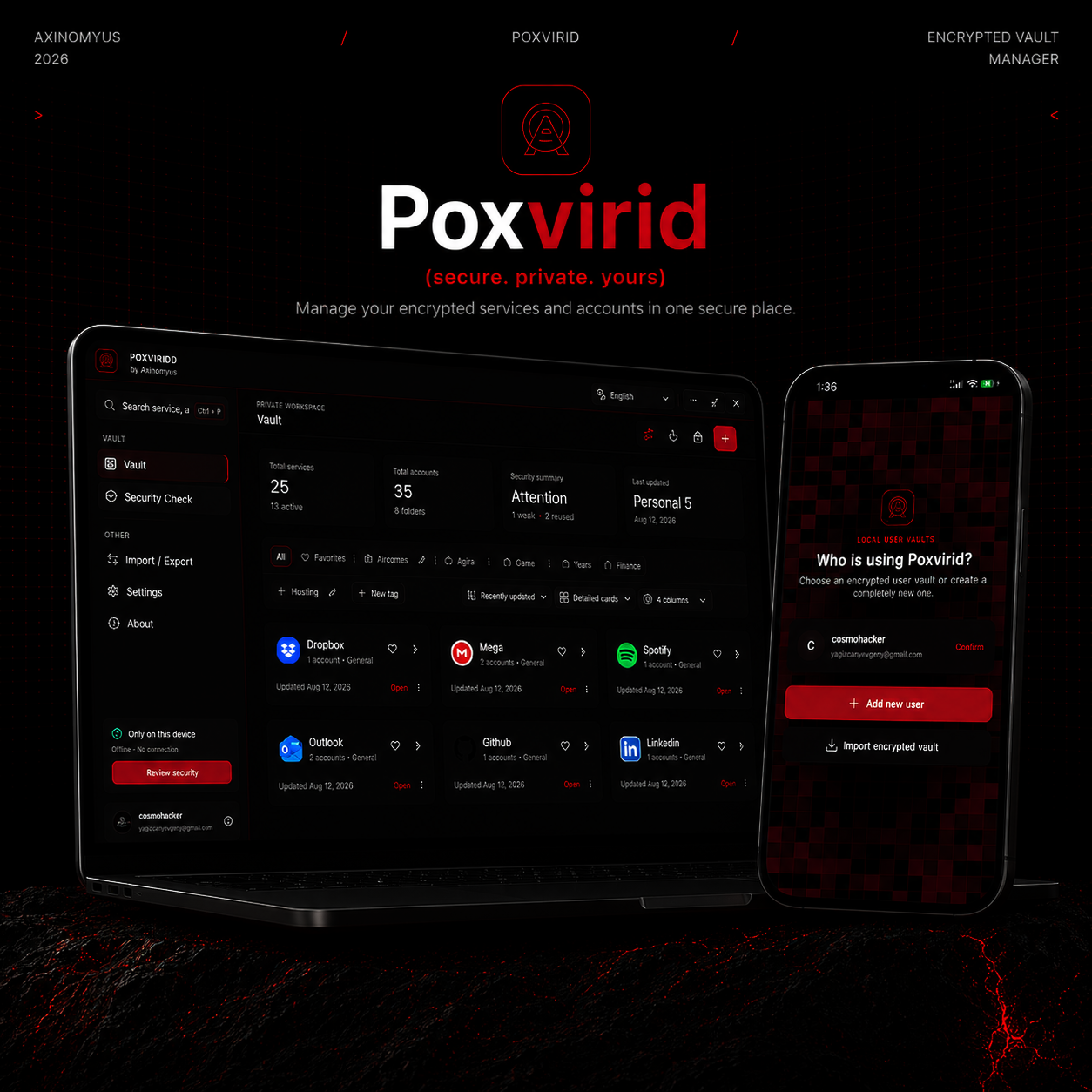
All your data in your pocket. Poxvirid Vault is a completely free, local-first password manager for Android and Windows that keeps your most sensitive information encrypted, private and under your control.
Passwords are the keys to our digital lives. They protect personal conversations, financial accounts, business systems, development platforms, social networks and private documents. A single weak or reused password can create a chain reaction that exposes far more than one account. Using a password manager is therefore no longer simply a convenience; it is an essential part of modern digital security.
Yet a password manager also becomes one of the most sensitive applications a person owns. It contains the credentials capable of unlocking everything else. Many popular services solve password management by synchronizing an encrypted database through cloud infrastructure. That approach can be convenient, but it introduces online accounts, remote services, subscriptions, network dependencies and a central target that users must trust.
Poxvirid Vault follows a fundamentally different philosophy: keep the vault local, remove unnecessary trust and return control to the owner of the data.
Poxvirid Vault is completely free to use. There is no monthly subscription, paid security tier or feature paywall standing between users and the protection of their passwords. Core security, encrypted vault storage, password generation, local security analysis, backup tools, Android support, Windows support and Pocket Edition are available without turning privacy into a recurring expense.
This matters because strong password protection should not be reserved for people willing to maintain another subscription. Poxvirid is designed to make serious local security accessible while avoiding advertising, telemetry-based monetization and the commercial pressure to move sensitive information into a cloud account.
All your data in your pocket.
Your encrypted vault stays close to you—on your Android device, on your Windows computer and inside the encrypted backups you choose to carry.
Poxvirid is a fully offline, local-first password manager. It does not require a Poxvirid cloud account, remote vault database or permanent internet connection. There is no backend storing your passwords, no advertising SDK profiling your behaviour and no telemetry service collecting how you use the application.
The encrypted vault is stored locally. Plaintext secrets are revealed only inside the unlocked application when the user requests them. Passwords, secure notes and protected custom fields are not transmitted to a Poxvirid server because the product does not depend on such a service to operate.
This architectural choice removes a central cloud copy from the everyday threat surface. A remote attacker cannot breach a Poxvirid password database that does not exist. The user decides where the vault lives, when it is opened, how it is backed up and where encrypted exports are stored.
“Military-grade” should be more than a marketing phrase. In Poxvirid, the statement is grounded in the cryptographic building blocks actually used to protect vault secrets.
Passwords, account notes, sensitive custom-field values and service notes are protected with AES-256-GCM authenticated encryption. AES-256 is a widely trusted encryption standard designed for highly sensitive information. GCM adds authenticity and integrity checks, allowing the application to verify that encrypted information has not been changed before it is used.
Every encryption operation generates a fresh 12-byte nonce, and each ciphertext includes a 16-byte authentication tag. Poxvirid also binds protected values to their record identity and field type through Additional Authenticated Data. A password encrypted for one account cannot simply be copied into another encrypted record and accepted as valid. If an encrypted envelope is modified, corrupted or moved into the wrong context, authentication fails.
Poxvirid never stores the master password itself. When a vault is created, the application generates a random 256-bit vault key. The master password passes through Argon2id to derive a separate wrapping key, and that derived key protects the random vault key.
Argon2id is a modern, memory-hard password derivation algorithm created to make high-volume password guessing expensive. Poxvirid’s default configuration uses a cryptographically random 16-byte salt, 65,536 KiB of memory, three iterations and a 32-byte output. Every password guess must consume meaningful memory and processing time, significantly raising the cost of offline brute-force and GPU-assisted cracking attempts.
This key hierarchy means a human password is not used directly as the data-encryption key. The vault is encrypted with high-entropy random key material. When the master password changes, Poxvirid verifies the current password, creates a new vault key, re-encrypts the complete snapshot and commits the new state transactionally.
Poxvirid encrypts values explicitly considered sensitive: passwords, protected notes, sensitive custom fields and service notes. Basic metadata such as service names, account titles, usernames, email addresses, categories and URLs remains locally searchable so the vault can provide fast organization and filtering. Any additional information that must remain secret can be stored in sensitive custom fields to receive record-level encryption.
Strong cryptography is combined with security capabilities provided by each operating system. On Android, vault-key material can be protected through SecureStore with device authentication required. After the vault has been opened correctly with the master password, compatible devices can use fingerprint or face recognition for convenient unlocking.
On Windows, Poxvirid uses operating-system-backed secure storage to protect device-bound unlock material for the local user environment. The desktop renderer has no direct Node.js access, runs with context isolation, sandboxing and web security enabled, and reaches privileged operations only through a deliberately narrow IPC surface whose inputs are validated.
Biometrics and device unlock are convenience layers, not recovery backdoors. They do not replace the master password and cannot reconstruct a vault when both the password and valid backup credentials have been lost.
Encryption at rest is only one part of password security. Poxvirid also reduces exposure during everyday use:
Automatic locking: the vault can lock after inactivity, when the Android application moves to the background or when the Windows application is minimized.
Memory cleanup: vault-key bytes are cleared when the vault locks, the session closes or the application exits.
Timed clipboard protection: a copied secret is cleared after the selected duration, but only if the clipboard still contains the value written by Poxvirid. More recent clipboard content is preserved.
Android screen protection: ordinary screenshots and screen recordings are blocked while the vault is unlocked.
Minimal Android permissions: unnecessary general internet, camera, microphone, broad media/storage and overlay permissions are excluded.
Poxvirid works as an organized security workspace. Services and accounts can be categorized, searched, marked as favourites and arranged into custom tabs or workspaces. Account entries support usernames, email addresses, websites, encrypted notes and user-defined custom fields.
The integrated generator creates cryptographically secure passwords and passphrases. A completely local security review detects weak passwords, reused credentials, old passwords, passwordless entries and accounts with missing identity information. This analysis never needs to upload password hashes or vault contents to a remote analytics service.
A local security activity history records important events such as vault access, account updates, imports, exports, settings changes and security reviews. Sensitive event details are encrypted inside the local vault instead of being sent to a telemetry platform.
Backup ownership is especially important for an offline-first vault. Poxvirid uses a portable .poxvirid format compatible with Android and Windows. Exports are protected with a separate export password and use Argon2id together with AES-256-GCM. The result is not a readable JSON dump; the vault payload remains encrypted.
Before an import is accepted, Poxvirid validates the file structure, checksum, cryptographic settings and GCM authentication tag. An incorrect password, corrupted payload or modified authentication tag is rejected. Users can preview the incoming content and choose merge, full replacement or selected-item workflows, with skip, update and duplicate strategies for conflicts.
The separate export password creates a clear boundary between everyday vault access and backup transport. The encrypted file and its password should still be stored separately in trusted locations, and backups should be tested regularly rather than assumed to work.
In addition to the standard Windows installer, Poxvirid is available as Pocket Edition: a setup-free Windows build designed to launch without a traditional installation process. Keep the application executable in a folder or on portable storage and open Poxvirid when needed—ideal for users who prefer a lightweight, self-managed way to carry the application.
Pocket Edition uses the same vault security model, AES-256-GCM encryption, Argon2id key derivation and Windows secure-storage integration as the installed edition. “Pocket” refers to the setup-free application package; users should continue to manage encrypted vault backups deliberately and never assume that simply copying an executable replaces a tested backup strategy.
One security model, two Windows choices.
Use the standard Setup edition for a conventional installation or Pocket Edition when you want a setup-free application you can keep close at hand.
TUTORIAL VIDEO
The Poxvirid installation, first-vault setup, Android usage, Windows usage, Pocket Edition and encrypted backup tutorial video will be added here.
Poxvirid is suited to privacy-conscious individuals, developers, system administrators, independent professionals, small organizations, restricted work environments and anyone who wants direct ownership of a credential database. It is particularly useful on offline systems or in environments where automatic cloud synchronization is undesirable or prohibited.
The current product intentionally does not include cloud synchronization, a browser extension or Android Autofill Service. This is a transparent trade-off rather than a hidden limitation: Poxvirid prioritizes a smaller attack surface, explicit transfer and local control over automatic cloud convenience.
Poxvirid has no master-password recovery backdoor. If the master password and valid encrypted backups are lost, the vault cannot be recovered. This is a direct consequence of designing a system in which no remote operator holds a universal key. Users should choose a strong and memorable master password, maintain tested encrypted backups and protect devices with full-disk encryption and a strong screen lock.
No application can fully protect secrets on a rooted device, against administrator-level malware, during an active memory compromise or from somebody who already controls an unlocked session. Poxvirid provides a strong and transparent security foundation without hiding the boundaries of endpoint security.
Poxvirid Vault combines military-grade AES-256-GCM encryption, memory-hard Argon2id key derivation, operating-system-backed key protection and practical everyday safeguards inside a completely free, fully local product. It removes subscriptions, unnecessary accounts, telemetry and cloud infrastructure from the password-management equation while preserving encrypted transfer between Android and Windows.
For people who believe privacy should be built into a product rather than added as a policy statement, Poxvirid offers a simple principle: the most sensitive database in your digital life should remain encrypted, local and under your control.
Completely free. Fully local. All your data in your pocket.
Choose the Windows Setup or Android APK published by Axinomyus.
v1.2.0 · x64 · 107.5 MB
0d6560ef09e3a896bb…v1.2.0 · universal · 109.7 MB
e1cb8769058d86fdd0…Previous releases and their change notes.
Comments
Share your experience, ask a question, or read responses from the Axinomyus team.
There are no published comments yet. Be the first to share feedback.